
Personal Loan Payoff Early Calculator How to Save Months

The extra $100 each month is sitting in a borrower's checking account, and the loan statement is open beside it. The question isn't whether the extra payment is affordable. The useful question is whether that payment changes the debt-free date enough to justify giving up cash today. A personal loan payoff early calculator can turn that decision into a clear comparison instead of a guess.
The right calculation shows the revised payoff date, the total interest saved, and how the regular monthly picture changes. It also helps reveal when an early payoff looks attractive but loses its value after fees, reduced emergency savings, or the opportunity cost of using available cash.

Table of Contents
- Why Early Payoff Math Matters Before You Pay Extra
- What to Enter in a Personal Loan Payoff Early Calculator
- How to Calculate Early Payoff With Worked Examples
- How to Read Your Results and Avoid Common Misreads
- When Paying Early Saves Less Than You Think
- Your Next Payment Plan and Helpful Next Steps
Why Early Payoff Math Matters Before You Pay Extra
A borrower can send extra money for months and still misread the result. The scheduled payment may stay the same, while each additional dollar reduces principal and shortens the repayment path. A personal loan payoff early calculator makes that hidden change visible by comparing the original amortization schedule with an accelerated schedule.
The three results that matter
The first result is time saved. Amortization works like a running ledger: each payment covers interest based on the current balance, then applies the remainder to principal. Lowering principal earlier means later interest charges are calculated on a smaller amount. One calculator example compares a loan paid in 250 months instead of 360, a difference of 110 months, or about 9.2 years (FinToolSuite's early payoff calculator). The example shows why the payoff date deserves as much attention as the extra payment itself.
The second result is interest saved. The tool totals interest under the regular schedule, then recalculates the total after extra principal payments. Subtracting the second total from the first gives the gross interest reduction, before any lender fee or penalty. The calculation follows the amortization approach explained in NumericCore's early payoff calculator guide.
The third result is the new monthly picture. An extra payment often does not reduce the required monthly amount. The borrower keeps making the scheduled payment, adds principal, and reaches a zero balance sooner. That detail prevents the common assumption that the lender will automatically lower the required payment after receiving extra money.
Use the results in a three-way decision check:
- Interest saved: How much future interest disappears?
- Prepayment fees: Does the lender charge for paying ahead?
- Emergency cash: After the payment, is enough money still available for an unexpected expense?
A useful estimate compares two complete repayment schedules. Subtracting an extra payment from today's balance does not measure savings, because it ignores the interest that would have accrued over time.
Review the loan agreement before transferring funds. The lender's payoff amount may differ from the statement balance when accrued interest or other contract details are included. For a broader comparison of how extra payments affect mortgage payoff timelines, see these early mortgage payoff strategies. A shorter loan is valuable only when the interest reduction outweighs fees and the loss of emergency cash.
What to Enter in a Personal Loan Payoff Early Calculator
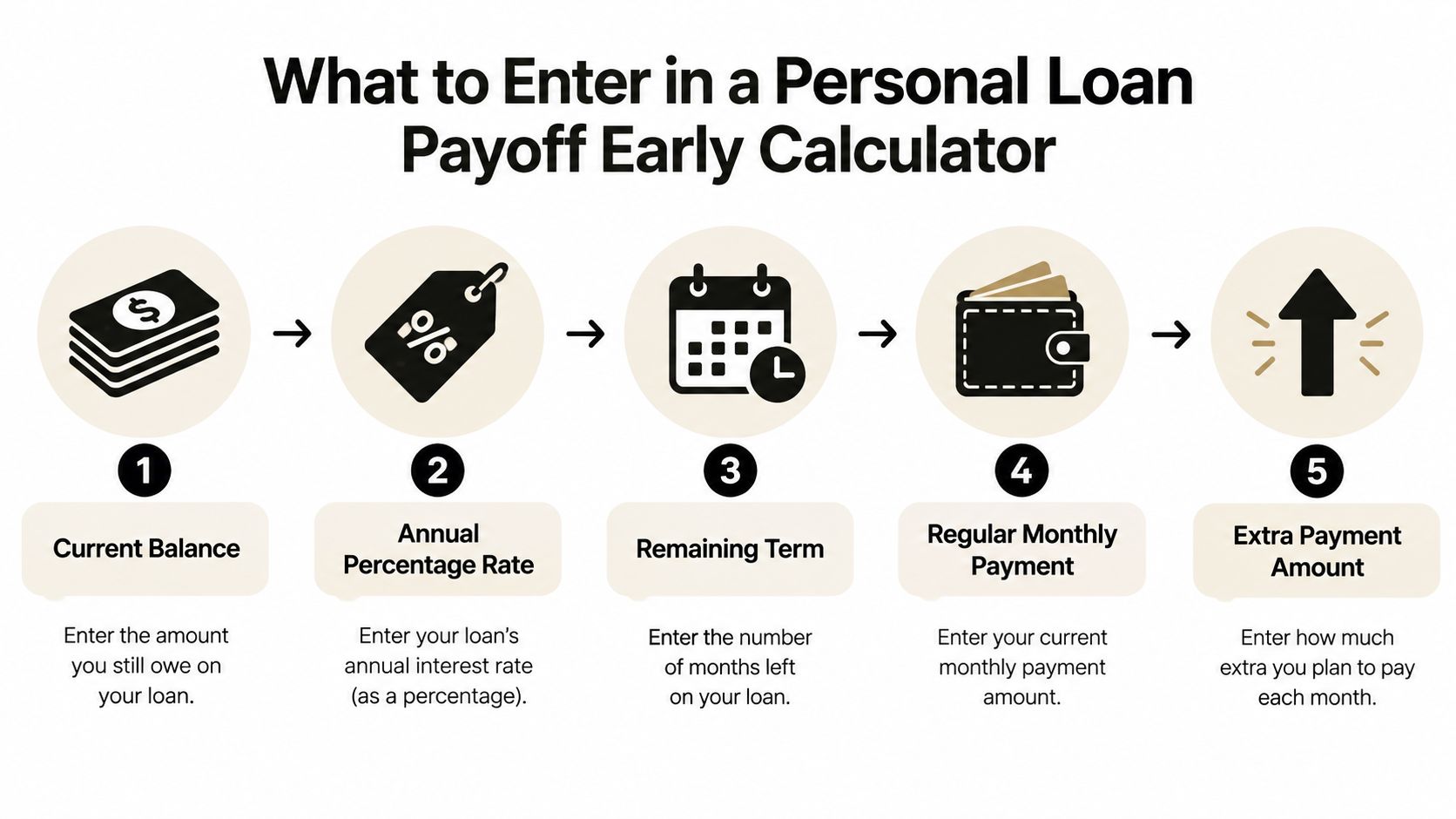
A borrower with a loan already in progress should start with today's figures, not the original loan offer. The calculator's accelerated schedule begins with the current balance, then applies the rate and payment rules that remain.
Gather the five core inputs
Current balance: Enter outstanding principal when the lender lists it separately from accrued interest. If the statement shows only a general payoff figure, request a payoff quote so the calculator starts with the right amount.
APR: Copy the annual percentage rate exactly as listed. The monthly model converts it to a monthly rate, because each interest charge uses that monthly figure rather than the annual rate shown on the statement.
Remaining term: Enter the number of scheduled payments still due. The original term can provide background, but it does not describe the schedule once payments have already been made.
Regular payment: Use the scheduled payment before any extra amount. A payoff tool can compare the normal amortization schedule with one that applies the regular payment plus additional principal, as described in All The Calculations' amortization prepayment guide.
Extra principal: Enter the additional amount planned for each period and identify when it starts. An extra payment from the first scheduled payment affects more future interest periods than the same amount added later. Some tools use a month number, where month 1 meaning the first payment, to record that timing, as shown by Ultimate Finance Calculator's extra-payment tool.
Understand the monthly loop
The calculator repeats a simple sequence. It calculates interest as balance multiplied by the monthly rate, subtracts that interest from the payment to find principal as payment minus interest, then subtracts the principal from the balance. Once the extra-payment start month arrives, the added amount also reduces principal. The next period therefore begins with a smaller balance, much like carrying a lighter load into each following month.
This process is why subtracting an extra payment from today's balance cannot show the full saving. The normal schedule and accelerated schedule produce different future interest totals. Comparing those two schedules gives the interest reduction before any prepayment fee is considered. A separate loan payoff calculator guide can help organize these inputs and compare scenarios.
Some personal loans accrue interest daily rather than through a standard monthly schedule. A monthly calculator may then be an estimate, because the lender's daily method can change the final payoff amount. Confirm the accrual method and request the lender's current payoff quote when you need an exact figure.
The same input-checking habit applies to a land loan payment calculator, even though the loan terms differ. Before trusting any result, verify the balance, rate, regular payment, and remaining schedule. Then compare interest saved with prepayment fees and the emergency cash left after making the extra payment.
How to Calculate Early Payoff With Worked Examples
Worked examples show what the calculator is doing behind the result. The following scenarios use a $15,000 balance, a 9.99% APR, and 36 months remaining. The first adds $100 beginning in month 1. The second adds $50 beginning in month 12.
The exact monthly payment and payoff dates depend on the lender's rounding and accrual convention. A reliable calculator should still compare the standard schedule with the accelerated schedule rather than treat the extra amount as a direct reduction in interest.
Example one, $100 starting immediately
The borrower enters the current balance, converts the APR to the calculator's monthly rate, enters the remaining term, and adds $100 beginning with the first payment. The standard schedule uses only the regular payment. The accelerated schedule uses the regular payment plus the extra principal from month 1.
The first month begins with interest calculated from the full balance. The regular payment covers that month's interest, and the remaining portion reduces principal. The accelerated schedule then applies the additional $100 to principal, leaving a lower balance for the next interest calculation.
That lower balance repeats the advantage in every following period. The borrower should compare:
- Standard payoff date: The scheduled end of the remaining term.
- Accelerated payoff date: The earlier date produced by the extra payment.
- Months saved: Standard schedule length minus accelerated schedule length.
- Interest saved: Standard total interest minus accelerated total interest.
The extra payment doesn't create savings equal to its face value. It creates savings because the balance falls sooner, so later interest calculations use a smaller principal amount. For a detailed explanation of the underlying interest comparison, readers can use this interest savings calculation guide.
Example two, $50 beginning in month 12
The second borrower uses the same balance, APR, and remaining term but waits until month 12 to add $50. During the first 11 payments, the schedule follows the standard path. When month 12 arrives, the extra amount begins reducing principal.
The later start means the borrower has already paid according to the original balance path for part of the schedule. The $50 still helps, but it has fewer remaining periods in which a lower balance can reduce future interest. This is why two borrowers with the same loan can receive different results from similar extra-payment habits.
| Scenario | Payoff Date | Total Interest Paid | Interest Saved vs Standard |
|---|---|---|---|
| Standard schedule | Scheduled end of remaining term | Standard total | None |
| $100 extra from month 1 | Earlier than standard schedule | Lower than standard | Standard total minus accelerated total |
| $50 extra from month 12 | Earlier than standard schedule | Lower than standard | Standard total minus accelerated total |
The table intentionally focuses on the comparison fields a calculator should produce. Exact dollar totals require a defined monthly rate, payment amount, rounding rule, and payoff convention. A borrower should enter the figures from the actual loan statement rather than copy these scenario inputs into a final payment decision.
Key takeaway: The earlier an extra payment reaches principal, the more future interest calculations can reflect the smaller balance. The calculator's schedule, not the extra payment alone, reveals the effect.
How to Read Your Results and Avoid Common Misreads
A result page can look persuasive while still answering the wrong question. The borrower needs to distinguish the required payment from the total payment, projected interest from a lender payoff quote, and interest savings from overall financial benefit.
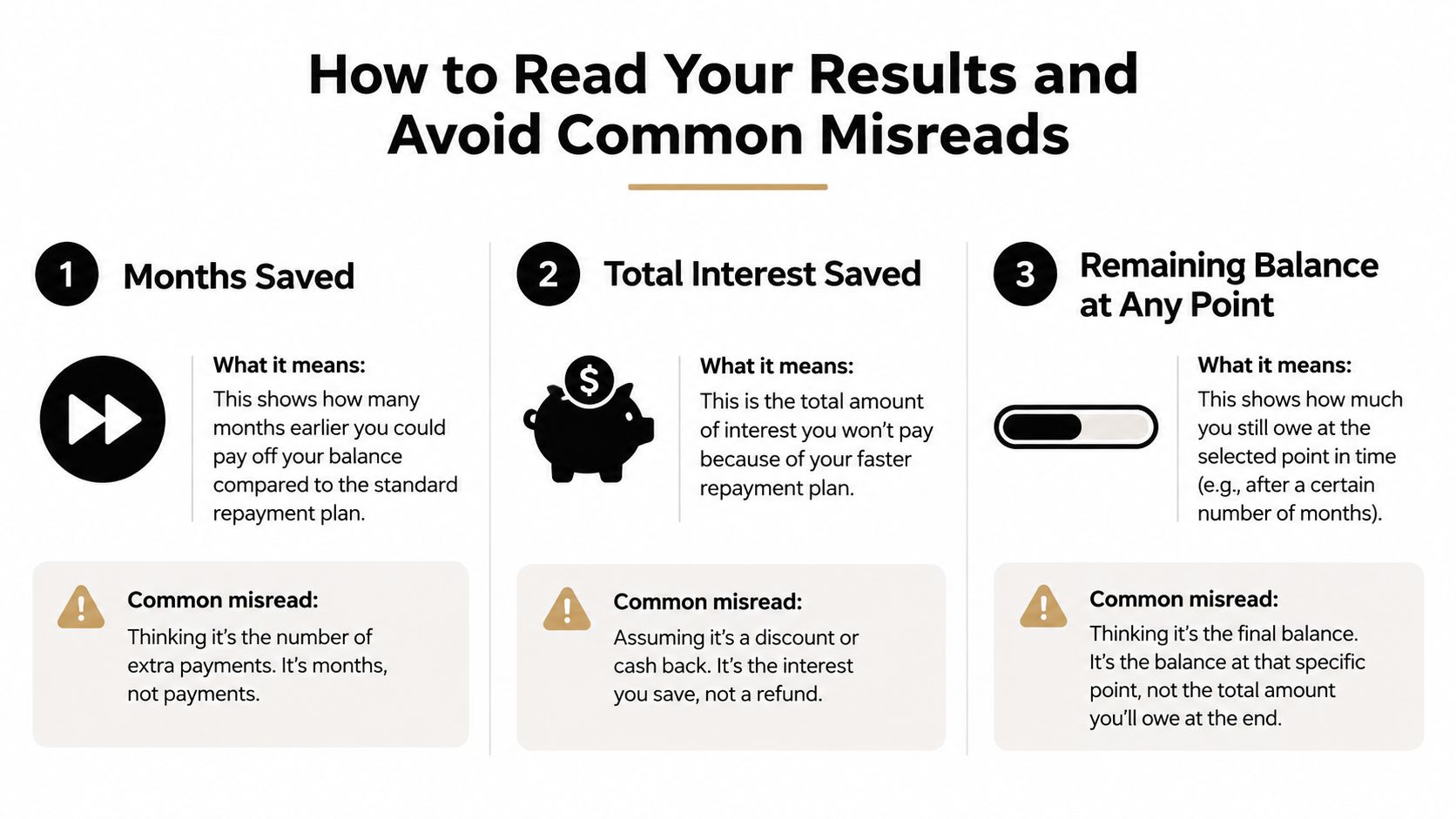
Months saved is a schedule result
Months saved measures the difference between the standard payoff timeline and the accelerated timeline. It doesn't mean the borrower's required monthly payment falls by the same amount, and it doesn't automatically measure financial comfort.
A scenario can save several payments at the end while requiring a larger outflow during the earlier months. The useful question is whether the borrower can sustain the extra amount without relying on credit for routine expenses.
Interest saved is not the final benefit
Interest saved is the difference between total interest under the standard schedule and total interest under the revised schedule. It's the correct starting point for the calculation, but it isn't the final economic result when a prepayment penalty or other fee applies.
The calculator's estimate may also differ from the lender's exact number because of rounding or interest accrual. Some personal loans calculate interest daily, while standard amortization tools often model monthly periods. A lender's payoff quote should control the final transfer amount.
Remaining balance checks the path
The remaining balance at any point helps the borrower test whether the output makes sense. After an extra principal payment, the accelerated balance should generally sit below the standard balance for the same point in the schedule. If it doesn't, the extra amount may have been entered as a future payment, applied to fees, or interpreted incorrectly by the tool.
A quick review can catch common problems:
- Check the starting balance: The calculator should begin with the current balance, not the original loan amount.
- Check the payment timing: Confirm whether the extra starts in month 1 or a later month.
- Check the payment treatment: Verify that the additional amount reduces principal rather than merely advancing the next due date.
- Check the final payoff amount: Ask the lender for the exact figure before closing the loan.
The estimate should serve as a planning preview. Connected account data or a lender statement can provide more precise information because it reflects actual balances, posted payments, and the lender's accrual rules.
When Paying Early Saves Less Than You Think
Interest savings can be real without making early payoff the best use of available cash. A borrower has to compare the accelerated schedule with the alternatives, especially when the loan rate is relatively low or the payment would reduce emergency reserves.
A prepayment penalty is a fee a lender may charge when a borrower pays all or part of a loan early. The fee may be a flat amount or a percentage of the early-repaid amount. For mortgages, the Consumer Financial Protection Bureau says the penalty usually applies only during a defined early period, such as the first three or five years, and usually doesn't apply to small extra principal payments made in chunks (CFPB's prepayment penalty explanation). Personal-loan rules vary by lender and country, so the agreement remains decisive.
A three-way decision check
| Choice | What it prioritizes | When it may fit |
|---|---|---|
| Pay off early | Lower future interest and earlier debt freedom | The fee is absent or small, emergency cash remains available, and the borrower values a faster payoff |
| Keep the loan and preserve cash | Liquidity and flexibility | The loan rate is low, cash is needed for near-term uncertainty, or the fee offsets much of the projected savings |
| Prepay only above an emergency threshold | A balance between savings and resilience | The borrower wants to reduce interest but won't use cash needed for essential unexpected costs |
Opportunity cost matters too. Cash used to reduce a low-rate loan can't also remain in a high-yield savings account or serve another financial priority. The calculator can show the interest avoided, but it can't decide the value of liquidity without the borrower's broader cash-flow information.
A loan-free balance sheet is valuable, but an empty emergency reserve can force a borrower back into expensive debt.
The strongest comparison puts the three outcomes side by side: early payoff, keeping the loan while preserving cash, and making extra payments only while a chosen emergency-fund threshold remains intact. That approach replaces the automatic “save interest” message with a decision based on fees, flexibility, and timing.
Your Next Payment Plan and Helpful Next Steps
A calculator becomes useful when it changes the next payment, not just the screen showing the result. The borrower can turn the projection into a manageable plan with a short review.
Recheck the inputs: Use the current balance, APR, remaining term, regular payment, and intended extra principal. Confirm when the extra amount will begin.
Choose a sustainable amount: A smaller payment that continues through difficult months can be more practical than an ambitious amount that forces a later pause.
Confirm application rules: Ask the lender whether extra money goes directly to principal and whether any early-repayment fee applies.
Automate carefully: Schedule the additional payment only after the regular payment, due date, and cash-flow impact are clear.
Track the revised date: Recalculate when the balance, payment, income, or emergency savings changes.
Borrowers managing several accounts may also benefit from a centralized view. Toya AI can organize balances, APRs, utilization, and due dates, then preview how payment changes affect projected payoff timing and interest. Its extra principal payments guide provides another way to think through recurring additions without losing sight of the regular schedule.
The right outcome might be immediate prepayment, a smaller extra amount, or no extra payment until cash reserves improve. What matters is that the choice follows a complete comparison rather than a single headline savings figure.
Toya AI helps borrowers organize personal loans and other debts, preview payoff timelines, and see how each payment decision may change interest and the debt-free date. Visit Toya AI to start with a quick calculator and build a clearer next payment plan.
Ready to start your debt-free journey?
Toya AI builds a personalized payoff plan so you can see your debt-free date and save on interest.
Get Started Free