
Is Plaid Safe to Use? Security, Privacy and Next Steps
Plaid is generally considered safe for read-only connections, with AES-256 encryption for stored data, but its safety depends on the bank, Plaid and the receiving app together. What protection does encryption provide if an authorized app keeps more financial information than its service needs?
That question exposes the gap between connection security and control over financial data. For someone linking credit cards to a debt-payoff service, the decision should depend on the login method, requested permissions, receiving app's privacy practices and ability to end access.
Table of Contents
- The Short Answer and the Controls Behind It
- Connection Methods Compared and Why They Differ
- Access Scope and Safe Connection Steps
- What Happens to Your Data After You Connect
- Common Risks and How to Reduce Each One
- Decide Whether to Connect Your Accounts
The Short Answer and the Controls Behind It
Plaid is generally safer than giving an unfamiliar budgeting or debt-management app a reusable banking password. That verdict is strongest when the bank handles authentication and the receiving app gets limited, permissioned access rather than the credentials themselves.
Plaid reports TLS encryption for information moving between systems and AES-256 encryption for stored information, alongside multi-factor authentication and regular security reviews; the CFPB's consumer-protection principles establish secure handling of financial data and credentials as a baseline for evaluating these safeguards.
Plaid also reports ISO 27001, ISO 27701 and SOC 2 certifications or attestations, while its security documentation describes continuous monitoring and reviews by security researchers and financial institutions. These controls indicate formal security-management processes, not a guarantee that every connected account or application is risk-free.
Plaid security layers and what each one covers
| Security Layer | What It Protects Against | What It Does Not Cover |
|---|---|---|
| TLS in transit | Interception while data moves between systems | Compromised devices and phishing pages |
| AES-256 at rest | Unauthorized reading of stored databases or backups without the encryption keys | Misuse by an app the consumer authorized |
| Multi-factor authentication | Account takeover using only a password | Weak MFA settings at the consumer's own bank |
| ISO 27001, ISO 27701, SOC 2 | Support formal security-management processes | Guarantees that every connection is risk-free |
| Continuous monitoring and audits | Help detect threats in Plaid's systems | Security of the bank and receiving app |
For example, an encrypted connection can deliver transaction information securely to a budgeting app. It can't establish whether that app requested an appropriate amount of information or whether someone has compromised the consumer's phone.
Practical rule: A recognizable security provider is a reason to inspect the connection, not a reason to approve every permission.
Before approval, the consumer should complete a short routine:
- Verify the login: Prefer a bank-hosted authentication flow and check the actual destination, not just the logo.
- Match the app: The consent screen should identify the service the consumer intended to connect.
- Enable bank MFA: Plaid's internal safeguards don't replace protection on the financial account itself.
Connection Methods Compared and Why They Differ
Two questions decide how safe a connection is: who receives the banking password, and how narrowly the resulting access is scoped. Encrypted transport and narrow authorization are separate tests, and a connection can pass the first while failing the second.
Screen scraping is the older pattern: a third party receives banking credentials, signs in and collects information displayed on the bank's website. Direct password sharing creates a similar credential-exposure problem, even when the app describes the process as account syncing.
Connection methods compared by login handling and safety
| Connection Method | Who Handles Your Bank Login | Data Collected | Safety Verdict |
|---|---|---|---|
| Screen scraping | The consumer gives the third party an online-banking password | Broad, potentially everything accessible through the site | Weakest; avoid when an alternative exists |
| Direct password sharing | Credentials are entered into the app itself | Whatever the app can access and chooses to retrieve | Weak; reusable credentials are exposed |
| Bank-hosted authorization through Plaid | The bank's own login page handles authentication | Approved accounts and fields within the connection's scope | Strongest common automated option |
| Manual CSV upload | The consumer exports and uploads statements | Only the exported file's contents | Avoids persistent login access, but remains manual and becomes outdated |
Bank-hosted authorization reduces credential exposure because authentication happens with the institution. Supported tokenized connections let an application use approved access without receiving the consumer's reusable bank password. What the app may collect, though, is a governance question rather than a transmission question, and the consent scope is where it gets answered.
The CFPB's 2024 personal-financial-data rule emphasizes purpose limitation and revocation, including immediate termination of access after revocation and generally renewed authorization beyond one year; the accompanying security principle is to limit third-party exposure, consistent with FTC data-security guidance.
Revocation belongs in the safety assessment itself: a connection the consumer cannot end cleanly fails it.
Manual uploads offer another trade-off. A consumer comparing due-date tracking software could use exported statements rather than maintain an automated connection, but would need to refresh balances and payment information manually.
A CSV upload avoids ongoing bank access. It doesn't remove the need to trust the app receiving the file.
The decisive login-screen check is whether the password goes to the bank, Plaid or an unfamiliar application. A bank logo proves little on its own; the domain in the browser's address bar shows who receives the credentials. That single check separates bank-hosted authorization from both credential-sharing methods in a few seconds.
Access Scope and Safe Connection Steps
Read-only access is like letting an accountant see statements; payment access is like handing over a chequebook. The distinction matters, but neither arrangement makes financial information non-sensitive.
For debt planning, relevant inputs include balances, APRs, due dates and minimum payments. Transaction history should serve a clear purpose, such as improving cash-flow projections, rather than being collected just because it's available.
Plaid access levels and what each allows
These categories describe possible permissions, not a promise that every connection includes every listed field.
| Access Level | What the App Can See | What the App Can Do | Risk to You |
|---|---|---|---|
| Read-only balances and identity | Approved account name, type, balance, account and routing numbers | Read permitted information, not move money | Lower payment risk, but personal data is exposed |
| Read-only transactions | Approved transaction descriptions, merchants, dates and amounts | Analyze transactions, not move money | Reveals spending habits and financial circumstances |
| Identity verification | Approved name, address and contact details | Verify identity, not move money | Identity-theft exposure if the data leaks |
| Payment initiation | Account details needed to move money | Start transfers if authorized | Highest payment risk; grant only for intended payments |
For example, a consumer building a payoff plan for a single credit card can select that card rather than every available bank account. That limits disclosure while supplying the account information needed for that card's projection, although a broader household plan may require additional inputs.
Toya AI accesses financial account information through Plaid on a read-only basis. Its initial connection step is linking credit cards and loans securely through Plaid with that read-only access.
Connect deliberately and verify the result
Start inside the intended app. Use its account-connect button and confirm that the expected Plaid or bank authentication flow opens. An unsolicited login page shouldn't be trusted merely because it displays familiar branding.
Check the institution and requesting app names on the consent screen. A mismatch is a reason to stop before entering credentials or approving access.
Select only necessary accounts. For a card-specific payoff calculation, decline unrelated checking, savings or loan accounts unless they serve an explained purpose.
Confirm that MFA is enabled at the bank before connecting. Use a unique banking password rather than one reused for email, shopping or another financial service.
Inspect the permission scope. A planning task shouldn't require payment initiation. If the authorization includes transfers, the consumer should decline unless payments are an intended function.
Open Plaid Portal after connection and confirm that the listed app and accounts match the authorization. An unexpected account warrants investigation rather than an assumption that the selection worked.
End access explicitly. When the service is no longer needed, disconnect the app in Plaid Portal and submit a deletion request. Uninstalling an app isn't a substitute for these actions.
According to Plaid's deletion guidance, deletion can be limited by legal, security or compliance obligations, and reconnecting can cause personal information to be obtained again. Consumers should also check deletion options with the receiving app, which may hold its own copy.
For a wider cleanup beyond financial connections, Digital Footprint Check's resource on how to audit app permissions across devices provides a useful companion task. Device permissions and financial-account authorizations should both be reviewed, rather than treated as interchangeable settings.
What Happens to Your Data After You Connect
Secure transmission isn't the same as privacy governance. Encryption protects information in transit from unauthorized access. It says nothing about what an authorized recipient retains, shares or does with that information afterward.
That gap is where most exposure sits. Once a consumer approves a connection, three parties hold pieces of the picture: the bank, the intermediary and the receiving app. Each applies its own retention policy, and the weakest of the three sets the practical limit on privacy.
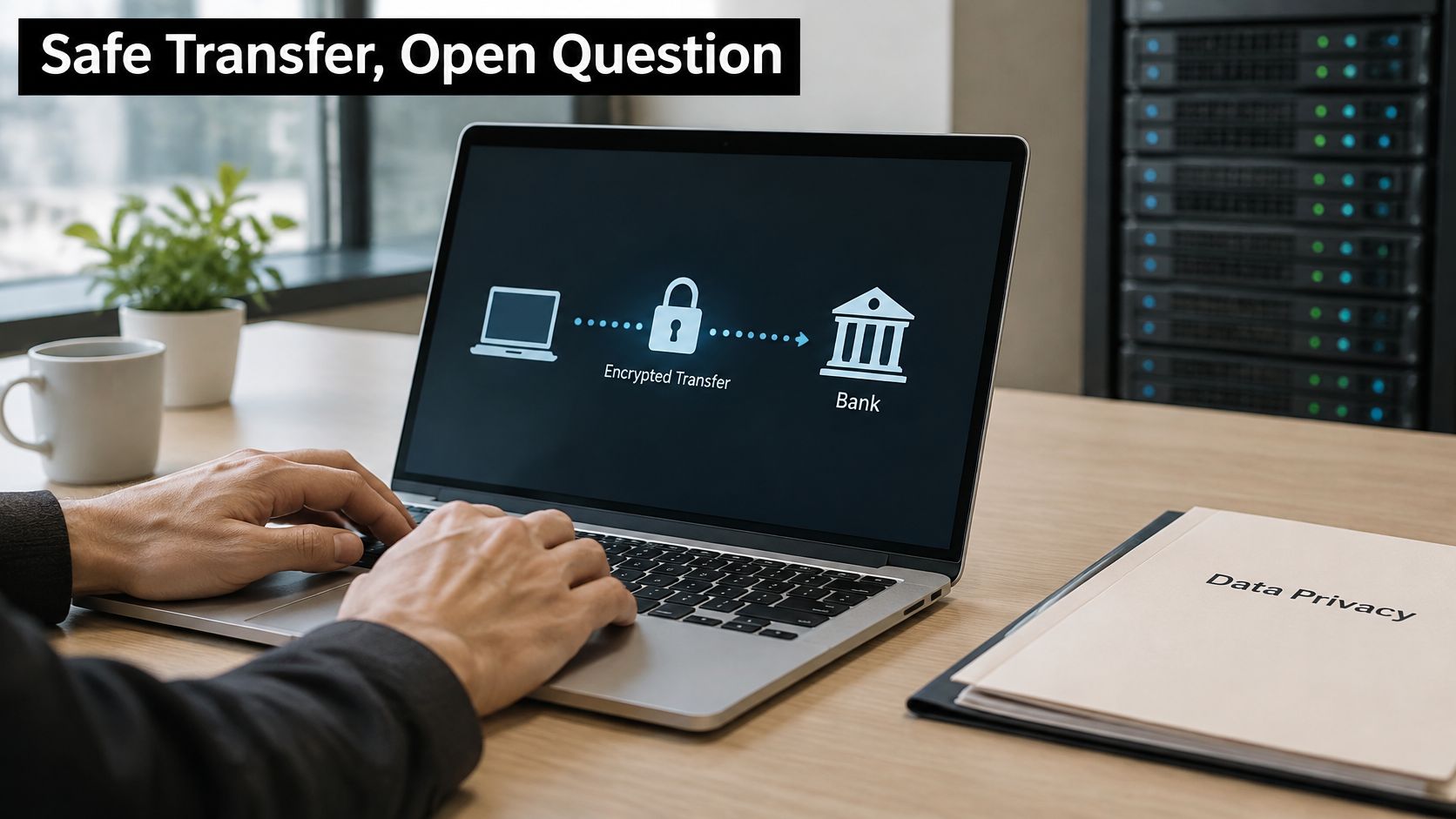
Plaid describes itself as an independent data controller and says personal data may be processed in the United States, as explained in its safety and privacy materials. The information involved can include names, addresses, contact details, transaction descriptions, account and routing numbers, balances and account types. Controller status matters because it means Plaid determines some purposes for that data itself rather than only following the receiving app's instructions.
Questions that reveal the privacy trade-off
- Data received: Does the app get transactions, balances, identity information or some combination?
- Retention: What does the receiving app keep, and for how long?
- Purpose: Which requested fields does the selected feature need?
- Deletion: Does disconnection stop future collection only, or does it also remove copies already stored?
- Revocation: Can the consumer end access cleanly, and does the app treat that as the end of the relationship?
Plaid says information may be shared to provide the selected service, help protect consumers and its network from fraud, or with consent, with further recipients described in its account terms. Authorization therefore deserves the same scrutiny as authentication. Consumers tend to watch the credential step closely, but the permission screen is what determines their actual exposure.
A concrete test: an app that links credit cards and loans on a read-only basis, the way Toya AI connects accounts through Plaid, needs balances and transactions, not payment initiation. A budgeting app requesting years of history when a few recent statements would serve the stated goal is asking for more than the task requires. The question is whether that extra scope has an explained purpose, not whether the transfer is encrypted.
The following video offers additional context for evaluating financial-data connections.
The practical verdict: transmission security through Plaid is well covered, while governance of retained data depends on the receiving app. A connection is an ongoing arrangement rather than a one-time event, so reviewing statements, reporting unauthorized activity and periodically checking which apps still hold access are the checks that catch what encryption cannot.
Common Risks and How to Reduce Each One
Phishing deserves attention first because a convincing lookalike page can bypass the consumer's intended connection process altogether. Beyond that starting point, the sensible order is set by the warning signs a consumer encounters, since the threat that matters most is the one already visible.
Plaid's open-finance security explanation describes permission controls, supported bank-hosted authorization, tokens and connection alerts. Those measures reduce exposure at the connection layer, but they do not govern what happens inside a compromised phone, a breached receiving app or an abandoned account. Consumers still need a response plan for each of those cases.
Connection risks, warning signs and fixes
| Risk | Warning Sign | Fix |
|---|---|---|
| Phishing lookalike login | A page requests banking credentials outside the expected bank or Plaid flow | Close it, navigate independently to the bank, and restart from the intended app |
| Compromised phone or email | Unexpected MFA prompts or new-device alerts | Change the bank password through a trusted device, revoke sessions and enable bank alerts |
| Over-permissioned app | Requests transactions or payment access without a task-related reason | Decline extra scope or choose fewer accounts |
| Forgotten connection | An unused app remains listed in Plaid Portal or bank settings | Disconnect it and submit a deletion request |
| Breach at the receiving app | The app reports a security incident | Ask what data it held, monitor transactions and change banking credentials if exposed or potentially compromised |
| Unauthorized transaction | A charge or transfer the consumer didn't make | Report it to the bank immediately |
Two rows deserve closer attention because their warning signs are easy to misread. Unexpected MFA prompts require action even when no money appears missing: a prompt the consumer never initiated means someone else holds the password and is testing it. The right response is to reject the prompt, then change the password from a trusted device rather than approve the notification to make the alerts stop.
An over-permissioned app presents the opposite problem. The access is technically legitimate, so no alert ever fires, and the risk only becomes visible when the consumer reviews what was granted. Consumers comparing a credit-card payment app should distinguish a tool that recommends payments from one that initiates them, because the second requires a scope the first never needed.
A response to an unexpected connection
Suppose a consumer receives an alert about a connection that wasn't authorized. The consumer should open the bank and Plaid Portal independently, rather than follow the email's login link, and revoke the unfamiliar connection. Working from a known-good entry point matters because the alert itself may be the phishing attempt.
The next actions are changing the bank password, checking MFA and active sessions, enabling activity alerts, and reporting suspicious charges to the bank the same day. If the phone or email account may also be compromised, those accounts need recovery attention too, since an attacker controlling the email inbox can intercept the password resets meant to shut them out.
Read-only authorization doesn't prevent someone from stealing credentials through a separate phishing attack.
For broader precautions around exposed personal information, Tech Today's guide to reduce identity theft risks can complement connection cleanup. Neither an identity checklist nor revocation replaces direct contact with the bank about an unauthorized transaction.
Decide Whether to Connect Your Accounts
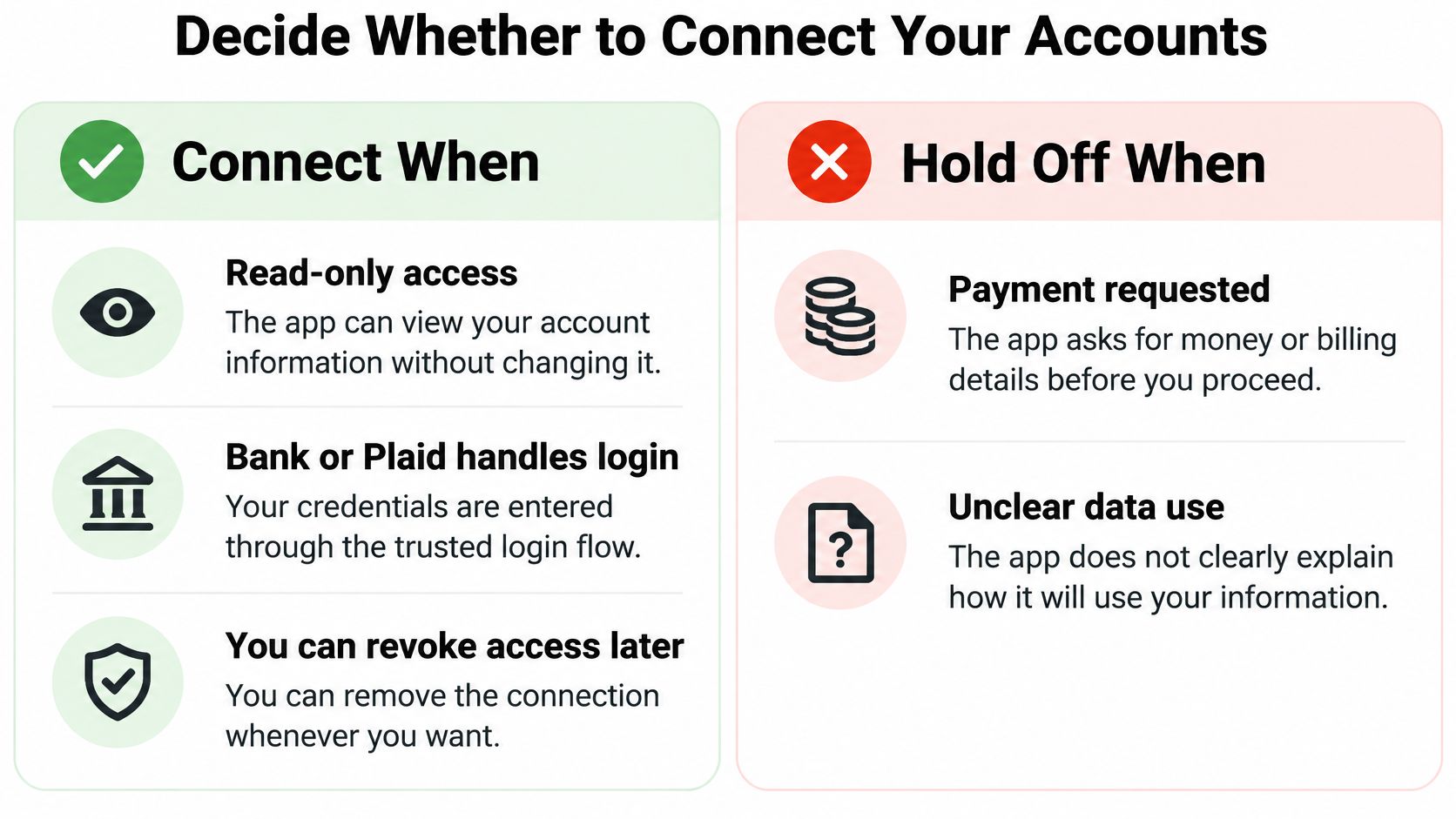
Connect when the financial benefit is clear, the permission scope is appropriate and access can be revoked. Hold off when a planning app requests unnecessary payment authority, presents an unverifiable login page or won't explain its retention practices.
That's the practical answer to “Is Plaid safe to use?” The strongest decision evaluates the specific authorization rather than approving or rejecting every service associated with the same intermediary.
This checklist separates a reasonable connection from one that needs further scrutiny.
A final approval checklist
- Service match: The app named on the consent screen is the service the consumer chose.
- Account selection: Only accounts necessary for the payoff plan are selected.
- Authority: The requested scope is read-only when the task is planning rather than payment execution.
- Account protection: Bank MFA and activity alerts are enabled.
- Ongoing review: A reminder is set to inspect connections periodically and whenever an app is abandoned.
Toya AI works with Plaid, Fincity, Spinwheel and Quiltt to connect accounts. Its connections deserve the same examination as any other financial-data authorization, including verification of the actual login destination.
For someone evaluating a cash-flow forecast app, automated updates should justify the requested information. If a narrower account selection provides the needed insight, broader disclosure adds exposure without a corresponding planning benefit.
The smallest useful next step is to connect a single relevant account, confirm that it appears correctly in Plaid Portal, and inspect the information displayed by the receiving app. Additional accounts can follow only when they improve the plan and their permissions remain acceptable.
Toya AI builds personalized, adaptive debt-payoff plans and brings balances, interest rates and due dates into a single dashboard. Visit Toya AI to explore the planning tools, then begin with a relevant account through its read-only connection process after checking the login and permissions.
Ready to start your debt-free journey?
Toya AI builds a personalized payoff plan so you can see your debt-free date and save on interest.
Get Started Free