
Debt Payoff Calculator Student Loan How to Use It Right

A lot of borrowers open a student loan calculator when they're already stressed. One loan is federal, one is private, one is in grace, and another hasn't required a payment in months. The screen asks for a balance, interest rate, and payment amount, and suddenly a simple tool feels too simple for real life.
That's exactly why a debt payoff calculator for student loan planning matters. Used well, it doesn't just spit out one monthly number. It helps a borrower test what happens if income changes, if a loan moves into repayment, if extra money goes to the highest-rate balance, or if a federal plan with forgiveness protections makes more sense than pushing for the fastest payoff date.
Table of Contents
- Why a Student Loan Payoff Calculator Changes Your Plan
- What to Enter for Federal and Private Loans
- Modeling Deferment Forbearance Forgiveness and IDR Scenarios
- Simulating Extra Payments and Seeing Interest Savings
- Choosing Between Speed and Flexibility With Your Results
- Your Next Best Action After Running the Numbers
Why a Student Loan Payoff Calculator Changes Your Plan
A borrower sits down on Sunday night, opens a payoff calculator, and expects one answer. Then the details show up. One loan is private with a higher rate. Two are federal with different repayment options. Another has already spent time in forbearance. The plan changes because the calculator stops being a simple countdown and starts acting more like a flight simulator for debt.
That shift matters. Student debt remains large in scale. Outstanding federal student loan debt reached about $1.724 trillion across 42.6 million borrowers in 2026, and total U.S. student loan debt was about $1.86 trillion in Q2 2026 when federal and private loans are combined, according to Education Data Initiative student loan debt statistics. For an individual borrower, that scale shows up in a smaller, more personal way. A few choices about repayment status, payment timing, or which loan gets extra cash can change the path by months or years.
A good calculator makes those tradeoffs visible.
A relatable calculator moment
Take a borrower with four loans and $300 of breathing room in the monthly budget. If that $300 is spread evenly across every balance, the result might look tidy but save less interest. If the same $300 goes to the highest-rate private loan while federal loans stay on their required payment, the payoff date for the full debt can shift. If income drops and a federal loan moves to an income-driven payment, the monthly pressure may ease even if the final payoff date moves farther out.
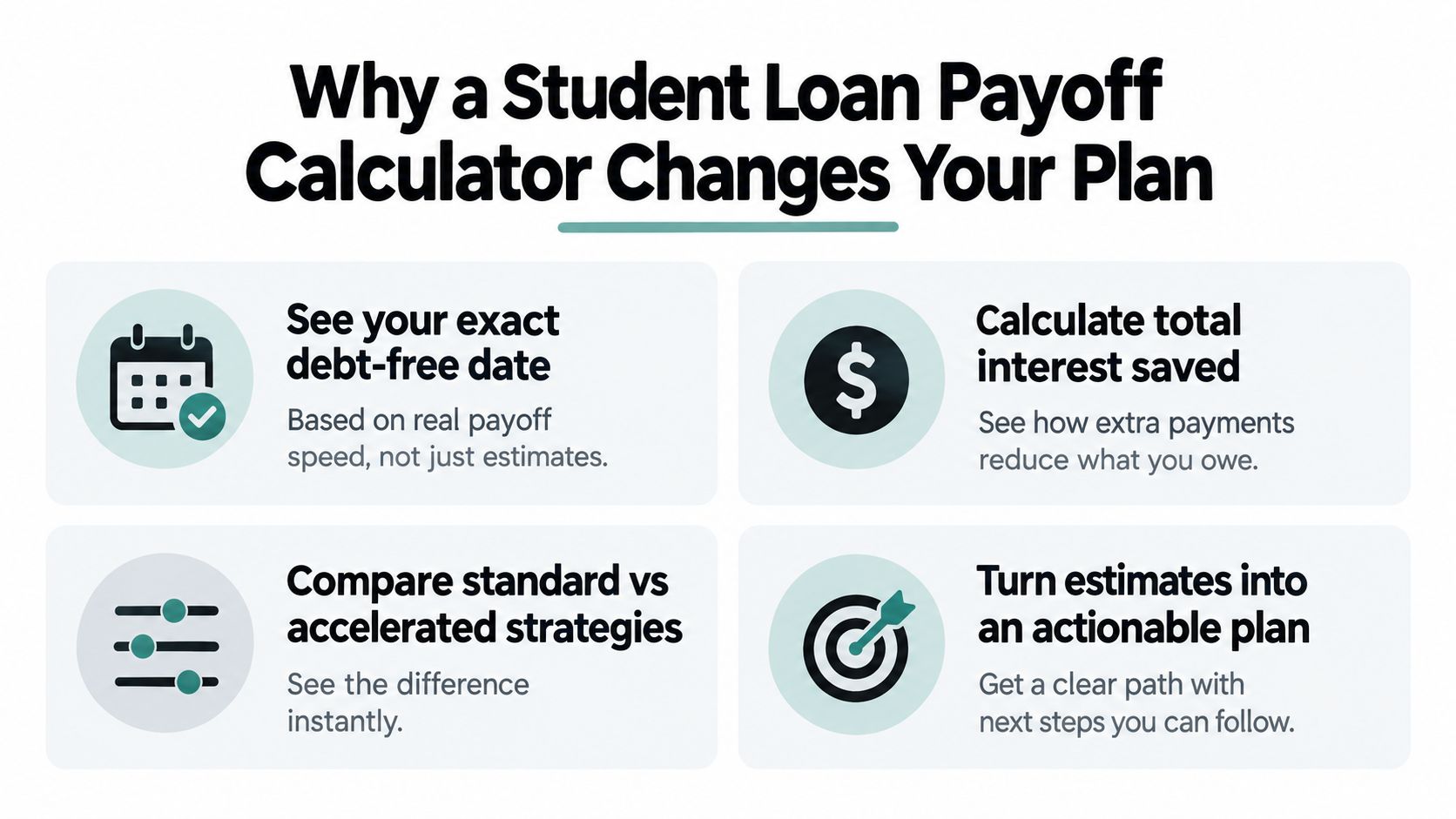
That is why the tool changes the plan. It turns one vague goal, "pay off student loans," into several testable paths with different costs and different levels of flexibility.
Practical rule: Use a student loan payoff calculator to compare scenarios, not to hunt for one perfect answer.
Why simple estimates often miss the point
Many student loans do not stay in one steady repayment pattern from start to finish. Some enter grace periods. Some pause in deferment or forbearance. Some shift into income-driven repayment. Some borrowers aim for forgiveness on federal balances while attacking private loans aggressively. A basic calculator that assumes one balance, one rate, and one fixed payment can still be useful, but only as a rough sketch.
A stronger approach is to treat the calculator like a map with layers. The balance is one layer. Interest is another. Repayment status is another. Future choices, such as extra payments or a switch to IDR, are layers too. Once those layers are entered clearly, the output starts to look less like a generic estimate and more like a planning tool.
Before running numbers, gather:
- Each individual loan balance: Separate loans should stay separate if rates or rules differ.
- Interest rate for each loan: The rate affects how fast interest builds and which loan costs the most to carry.
- Current repayment status: Grace, active repayment, deferment, and forbearance can produce very different results.
- Minimum payment and due date: These create the starting case the calculator will build from.
- Loan type: Federal and private loans follow different repayment rules and should be modeled that way.
Clean inputs lead to useful outputs. If the entries are too simplified, the plan will be too.
What to Enter for Federal and Private Loans
The biggest calculator mistake is entering student loans as one lump sum. That's fast, but it hides the details that drive the result. A useful student loan payoff run starts loan by loan.
Federal and private loans may sit in the same monthly budget, but they don't behave the same way. Federal loans can connect to income-driven plans and forgiveness rules. Private loans are usually more straightforward. The balance, interest rate, term, and payment schedule do most of the work.
What to gather before typing anything
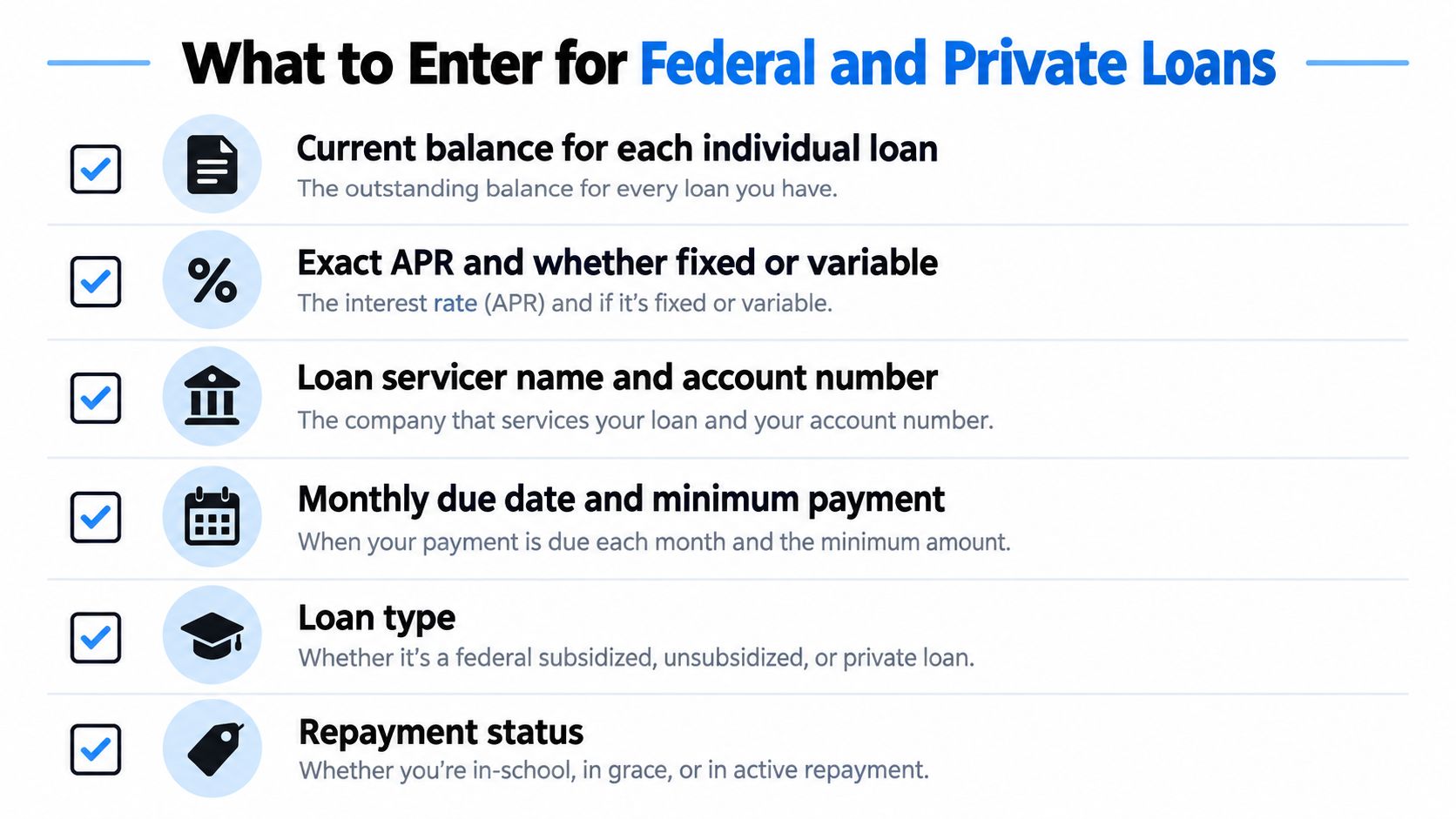
A borrower should pull the latest servicer statements and enter loans one at a time.
- Current balance: Use the balance for each loan, not a rounded total from memory.
- APR or interest rate: Enter the exact rate shown by the servicer. If the loan is variable, note that the result is only a snapshot.
- Servicer and account reference: This helps match the calculator entry to the loan later.
- Monthly due date and minimum payment: These set the base payment schedule.
- Loan type: Mark federal subsidized, federal unsubsidized, or private.
- Repayment status: In school, grace, active repayment, deferment, or forbearance.
A borrower who wants a cleaner understanding of how rates affect cost can pair this step with a review of student loan interest rates.
A practical example with mixed loans
Suppose a recent graduate has three federal loans and one private loan. The clean way to enter them is four separate entries.
The first federal loan gets its own balance, rate, and status. The second federal loan gets another line, even if the servicer is the same. The third federal loan may have a different rate and should stay separate too. The private loan gets its own line with its own rate type and minimum payment.
That setup matters because the borrower may later choose to direct extra payments only to the private loan while keeping federal loans on a more flexible plan. If all four loans are merged into one entry, the calculator can't show that tradeoff clearly.
A borrower should be able to point to every calculator line and match it to a real statement. If that can't be done, the result probably isn't reliable enough to guide a payoff decision.
Common entry mistakes that change the answer
Some mistakes seem small but can distort the payoff timeline.
- Combining fixed and variable loans: A variable-rate private loan shouldn't be blended with fixed-rate federal debt in one line.
- Using total payment across all loans as one loan payment: That can hide whether one loan is underfunded.
- Double counting consolidated amounts: If a loan has already been consolidated or refinanced, the old balances shouldn't still appear.
- Guessing the rate: “About six percent” is enough to misread long-run cost.
- Ignoring status: A loan in grace or deferment shouldn't be entered as if standard repayment has already begun.
A good first run doesn't have to be perfect. It does need to be organized. Once the entries are accurate, the calculator can start doing what borrowers need, which is comparing realistic paths rather than generating a generic estimate.
Modeling Deferment Forbearance Forgiveness and IDR Scenarios
A borrower runs a calculator and sees a clean payoff date 11 years from now. Then real life steps in. Six months of deferment after a job loss, a stretch on an income-driven plan, a change in family size, or a forgiveness track can all change that result enough to make the first estimate misleading.
That is why this part matters. A student loan payoff calculator should work like a map with alternate routes, not a single straight line.
How to model status changes
The first question is not “What is my payment?” It is “What happens to this loan over time?”
A useful calculator run follows the loan month by month. That matters because student loans often switch between active repayment, deferment, forbearance, and lower-payment plans. If the calculator assumes the same payment every month until payoff, it can miss interest growth, changing balances, and the value of keeping federal protections in place.
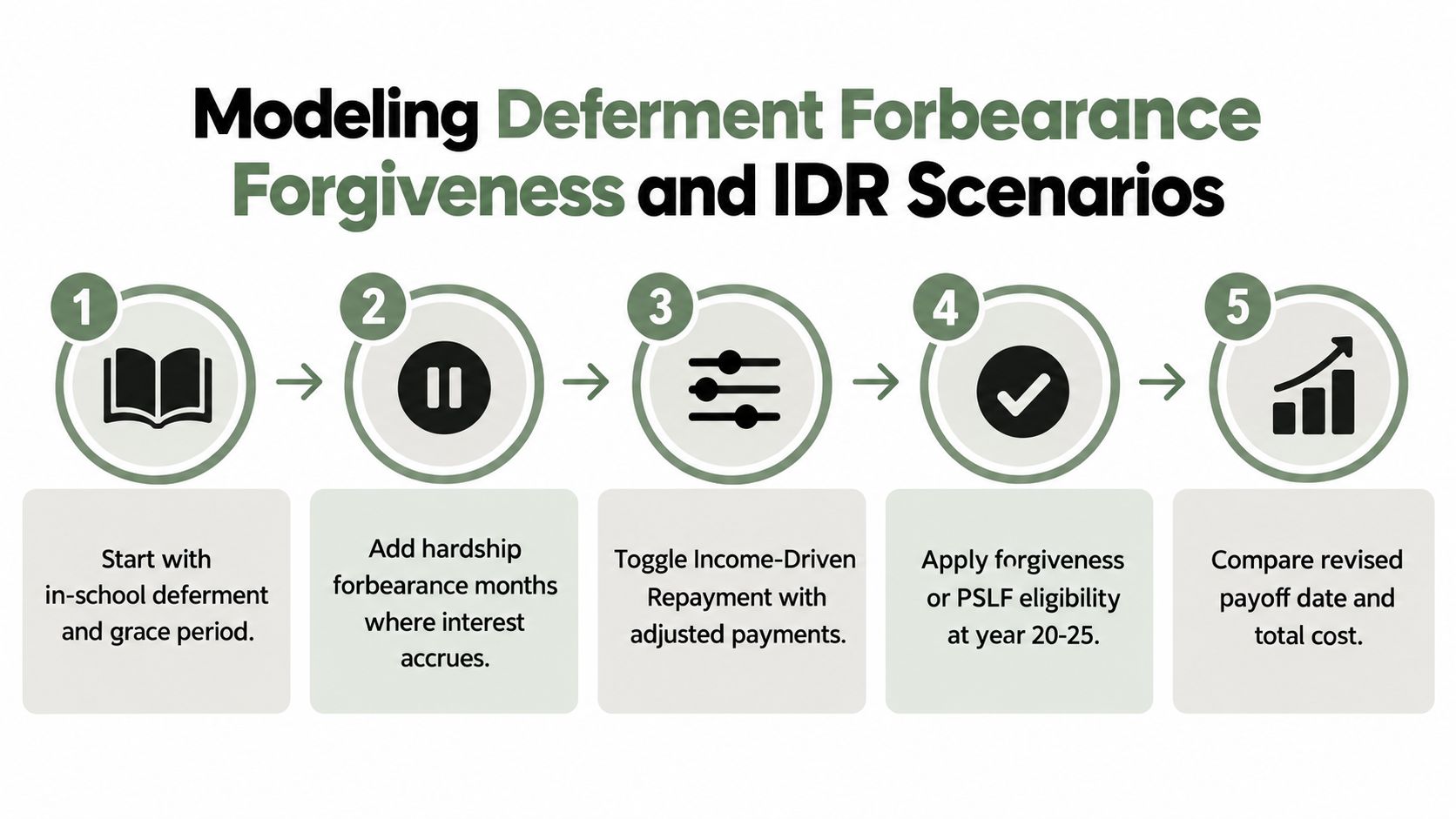
Use a timeline approach:
- Start with the current loan status: Enter whether the loan is in school, grace, deferment, forbearance, or repayment.
- Add expected status changes: If you already know there may be a pause, model those months in a separate scenario so you can compare outcomes side by side.
- Change the payment plan when the situation changes: A federal loan may begin on the standard plan, then shift to an income-driven repayment plan after income drops.
- Mark any forgiveness checkpoint: If a borrower is partway through a qualifying path, the calculator should reflect that remaining timeline instead of treating the loan like a normal full-payoff case.
Policy timing matters here too. Federal guidance summarized by NASFAA says new borrowers after July 1, 2026 will generally have only two options, a tiered standard plan or the new Repayment Assistance Plan, while SAVE exits, and PAYE and ICR are scheduled to be phased out for many borrowers by July 1, 2028, under current guidance, as described in the 2026 national profile summary. If a calculator cannot reflect plan eligibility or likely transitions, it can give a result that looks precise but fits the wrong rules.
How IDR inputs change the result
Income-driven repayment changes the math because the payment is tied to the household, not just the debt.
Federal Student Aid's calculator asks borrowers to enter income and family size through the official repayment calculator. That is a good reminder of what to include in your own modeling. A balance and interest rate alone are not enough for federal loans on IDR.
Plan formulas differ too. The Consumer Financial Protection Bureau explains that PAYE caps payments at 10% of discretionary income, IBR is 10% for borrowers first taking loans after July 1, 2014 and 15% for earlier borrowers, and ICR is 20% of discretionary income in its IDR plan overview.
One point confuses borrowers often. “Discretionary income” does not mean whatever feels left over after rent and groceries. The Congressional Budget Office explains that discretionary income is typically defined as income above 150% of the federal poverty guideline, and it notes that if an IDR payment does not cover all accrued monthly interest, the government covers the remaining unpaid interest for that month in qualifying situations, as described in the CBO discussion of income-driven repayment design.
Here's a useful walkthrough for seeing these moving parts in action:
Two practical scenarios
Scenario one: A borrower expects a temporary income drop in the fall and may need three months of forbearance before returning to work. Run one version with uninterrupted repayment and a second version with the pause included. Then compare the new balance, the extra interest, and whether switching to an IDR plan would reduce the need for a full pause. That comparison is often more useful than asking whether forbearance is “good” or “bad” in the abstract.
Scenario two: A borrower is already several years into a forgiveness path. In that case, the key question may be whether paying extra now reduces total cost, or whether it shrinks the amount that could have been forgiven later.
When a borrower is close to forgiveness, extra payments can solve the wrong problem.
The goal is not one permanent answer. The goal is a set of tested scenarios that match how student loans behave.
Simulating Extra Payments and Seeing Interest Savings
Extra payments are where the calculator becomes motivating. This is the first lever many borrowers can control directly, even if the amount is small.
One student loan calculator explains the mechanics clearly. Extra monthly payments are applied to principal, and interest savings equal the difference between the baseline repayment schedule and the accelerated schedule, as described by the Bedrock student loan calculator. That means each extra payment can reduce the balance that next month's interest is based on.
What to test first
A borrower doesn't need to jump straight to an aggressive plan. The better move is to test several versions.
- Baseline run: Use only minimum required payments.
- Small extra payment: Add a modest amount each month and see how the payoff date changes.
- Larger extra payment: Try a stretch version that still fits the budget.
- Targeted overpayment: Send extra money only to the highest-rate loan rather than spreading it everywhere.
That last option often matters most with mixed loan types. If the private loan has the highest rate and no federal protections, directing extra cash there first may create the best blend of savings and flexibility.
A practical way to read the results
Suppose a borrower has a total loan mix of $28,000 and wants to test two extra-payment scenarios. The calculator should show three separate schedules: baseline, plus $75 extra per month, and plus $200 extra per month.
The point isn't to guess the “right” answer from the payment amount alone. The borrower should compare the output fields side by side and look for four things: whether the debt-free date moves meaningfully, whether total interest falls enough to justify the tighter budget, whether the target loan balance drops faster, and whether the plan still leaves enough room for emergencies.
| Scenario | Monthly Payment | Payoff Date | Total Interest Paid |
|---|---|---|---|
| Baseline minimums | Current required amount only | See calculator output | See calculator output |
| Add $75 extra | Current required amount plus $75 | Compare against baseline | Compare against baseline |
| Add $200 extra | Current required amount plus $200 | Compare against baseline | Compare against baseline |
| Lump sum plus monthly extra | Current required amount plus chosen extra and one-time payment | Compare against baseline | Compare against baseline |
A borrower who wants to go deeper into how overpayments change the amortization path can review extra principal payments.
Targeting versus spreading
Some borrowers spread extra money across every loan because it feels balanced. A calculator often shows a different story. When the tool allows loan-level targeting, sending extra dollars to the highest-rate balance usually reveals faster interest reduction than splitting the same dollars evenly.
That doesn't mean spreading is always wrong. A borrower nearing payoff on one small balance may prefer a quick win if it improves cash flow and attention. The calculator helps test that judgment instead of relying on instinct.
Key check: If an extra payment plan looks good on paper but leaves the budget too tight to survive a rough month, it isn't a strong plan yet.
Biweekly payments and windfalls can be tested the same way. Enter the extra cash as a recurring overpayment or as a one-time principal reduction, then compare the amortization schedule. The useful question isn't whether the table is long. It's whether the balance drops in the places the borrower expects.
Choosing Between Speed and Flexibility With Your Results
A borrower runs the calculator twice. In the first version, they force the fastest payoff date they can manage. In the second, they choose lower required payments, leave room for an uneven income month, and keep access to federal protections. The first result looks better on paper. The second may be the plan they can live with.
That is the job of this part of the calculator. It is not picking the shortest timeline by default. It is testing how much pressure your budget can carry before a plan starts to break.
The Federal Reserve reported that in 2024, 20% of borrowers were behind on payments or in collections for one or more student loans, up from 16% in 2023, and only 57% of borrowers with loans for their own education said they were required to make monthly payments as of October 2024, according to its Economic Well-Being of U.S. Households report on higher education and student loans. That matters because a payoff plan only helps if it remains affordable during ordinary life, not just in your best month.

What the tradeoff really looks like
Speed lowers interest when you can sustain it. Flexibility lowers the chance that one rough stretch turns into missed payments, paused progress, or a scramble to switch plans late.
A student loan payoff calculator works like a stress test here. If one scenario saves money but leaves almost no margin after rent, food, insurance, and a small emergency fund, the result is fragile. If another scenario costs more in total interest but keeps the required payment low enough to absorb a job change, reduced hours, or a recertification surprise, that extra room has value.
This matters most for borrowers with mixed loan types. Private loans often reward fast repayment because they usually lack income-driven options and forgiveness features. Federal loans can be different. If a borrower may need deferment, forbearance, or an IDR plan later, the calculator result should reflect that flexibility instead of treating every loan like a fixed-rate installment loan.
A practical way to read the results
| Borrower situation | Result to pay more attention to |
|---|---|
| Stable income, cash reserves, mostly high-rate private loans | Lower total interest and shorter payoff date |
| Variable income or recent employment change | Lower required monthly payment and room in the budget |
| Federal loans with possible IDR or forgiveness path | Total paid under the full plan, not just payoff speed |
| Mixed federal and private balances | Whether extra payments can go to private loans while federal payments stay manageable |
Policy details can shift this choice. The Student Loans Company statistical publication notes that repayment thresholds rose 4.3% in 2025-26. The same publication is a useful reminder that small rule changes can change affordability assumptions, even when your balances stay the same.
The same idea applies in U.S. repayment modeling. Income-based formulas, minimum payment rules, and long forgiveness timelines can make a slower path more sensible than an aggressive payoff target for some borrowers. If your calculator includes plan comparisons, use it to ask a practical question. Do I want the fastest finish, or do I need a payment structure I can keep through income changes and family changes?
For borrowers comparing federal options side by side, this guide to the best student loan repayment plan can help frame what to test in the calculator.
A connected tool can make repeat testing easier. Toya AI lets users connect debt accounts, centralize balances, APRs, and due dates, then compare how payment choices change the debt-free date and total cost. For a borrower juggling several servicers, that can be simpler than retyping every figure each time a status, balance, or payment amount changes.
Your Next Best Action After Running the Numbers
A useful calculator run should end with a concrete next step. Not a vague sense of progress. One action.
The cleanest routine is simple. Verify every balance against the latest statement. Re-run the model after any income change, family size change, new repayment status, or refinance event. Then compare projected interest and actual interest every quarter to see whether the plan is tracking the way the calculator predicted.
A short follow-through checklist
- Confirm current balances: Statement data beats memory every time.
- Check status changes quickly: Grace periods, deferment, and forbearance can shift the timeline.
- Re-run after life changes: New job, lower income, marriage, or a new dependent can change federal payment calculations.
- Track actual versus projected: If the balance isn't falling as expected, a data field may be wrong or the strategy may need adjusting.
- Automate only after testing: A borrower should trust the plan before setting recurring overpayments.
A quick calculator preview is still useful. It can show whether paying extra or changing plan type is worth exploring. But a connected dashboard has a different job. It keeps balances, APRs, and due dates current so the borrower doesn't have to rebuild the model every time life changes.
Start with one realistic adjustment. A small extra payment, a targeted overpayment to one loan, or a revised federal repayment scenario is enough to turn abstract debt into a plan that can actually be followed.
The strongest habit is monthly review. Not because numbers must be obsessed over, but because student loans often change slowly until one smart adjustment moves the finish line much closer.
Toya AI helps borrowers turn a one-time calculator estimate into an adaptive payoff plan by organizing balances, APRs, and due dates in one place and showing how each payment decision changes the debt-free date and total cost. For anyone trying to manage federal and private loans without constantly rebuilding spreadsheets, it's a practical next step. Readers can explore the tool at Toya AI.
Ready to start your debt-free journey?
Toya AI builds a personalized payoff plan so you can see your debt-free date and save on interest.
Get Started Free